RAT
Participants are provided with a 7zip archive named rat.7z. Extracting the archive reveals a file rat.

This file has the "MZ" signature which indicates a PE (Portable Executable). Now it's time to analyze this further within a virtual environment.

Detect It Easy indicates this is a .NET 64 Bit exe file.

It's always good to check entropy to see if it needs unpacking. All indications point to not being packed which makes the job easier.
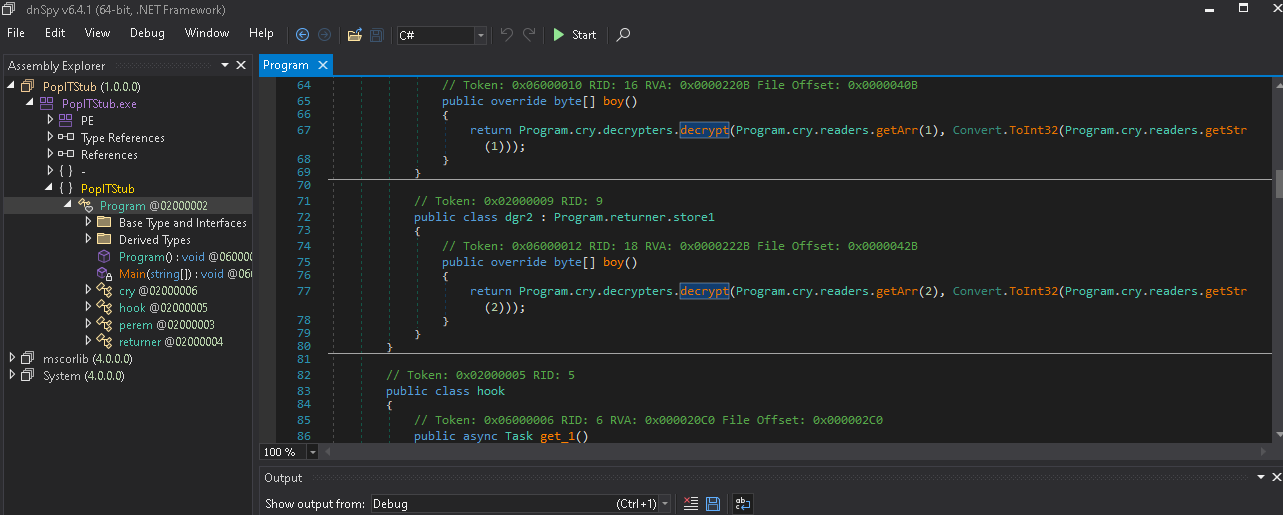
Here, we can use a .NET dissassembler and debugger dnSpy to take a look inside the code. There's a decrypt function that's worth looking at.

If we place a breakpoint on the return array after decrypting and run, we get an array with the magic bytes signature 4D 5A. This indicates it's decrypting and probably going to try to execute the PE file contained within the array.

We can view the array in a Memory Map and dump the selection to a file to analyze this file further.

Using DIE, this file seems to be a .NET 32 Bit exe.
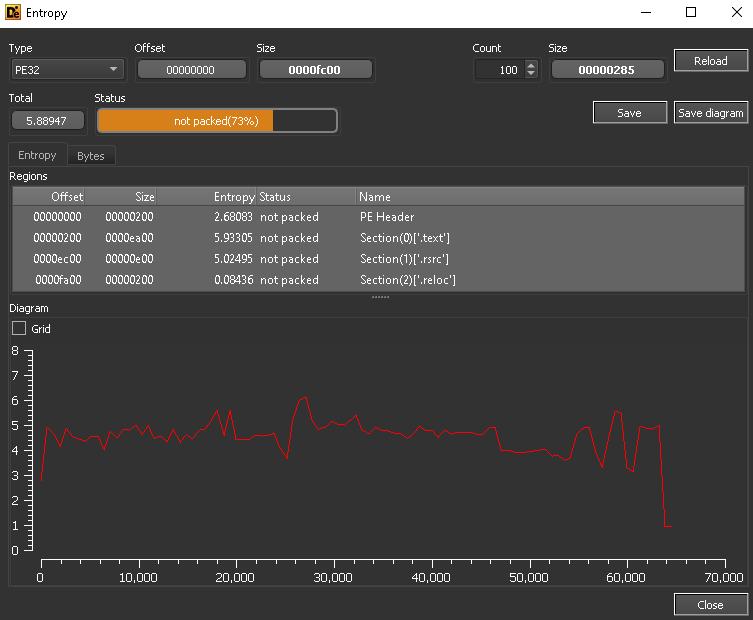
This file seems to also not be packed.
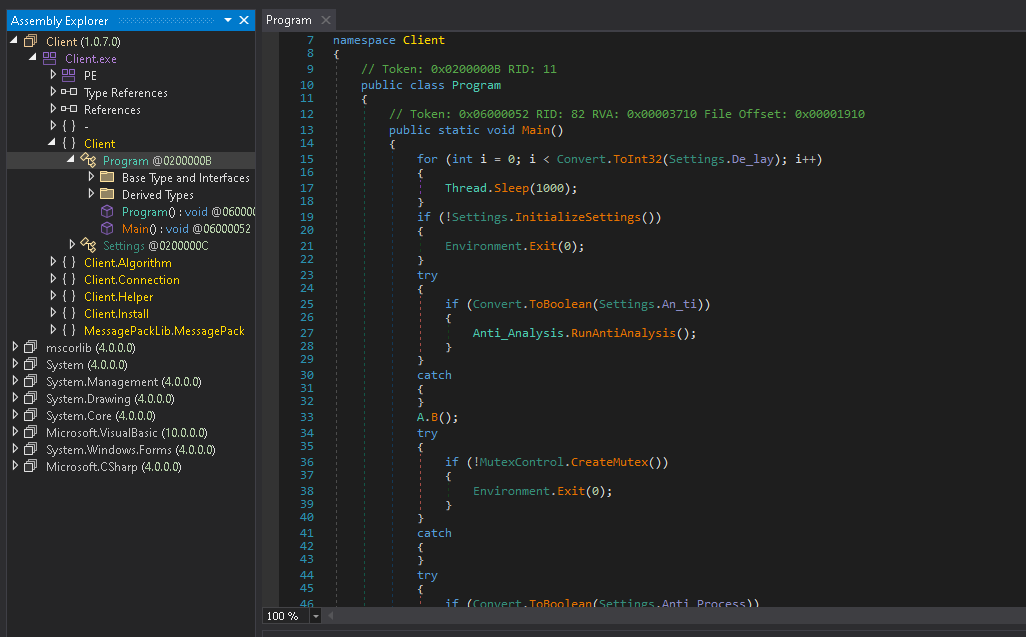
Using dnSpy again, this file seems to be the actual RAT that will attempt to spin up a reverse shell (Client.Helper probably) along with applying some features in Settings.

Going into Settings, there's more decryption going on that seems to be getting the settings for the stub. This will be important in a little bit...
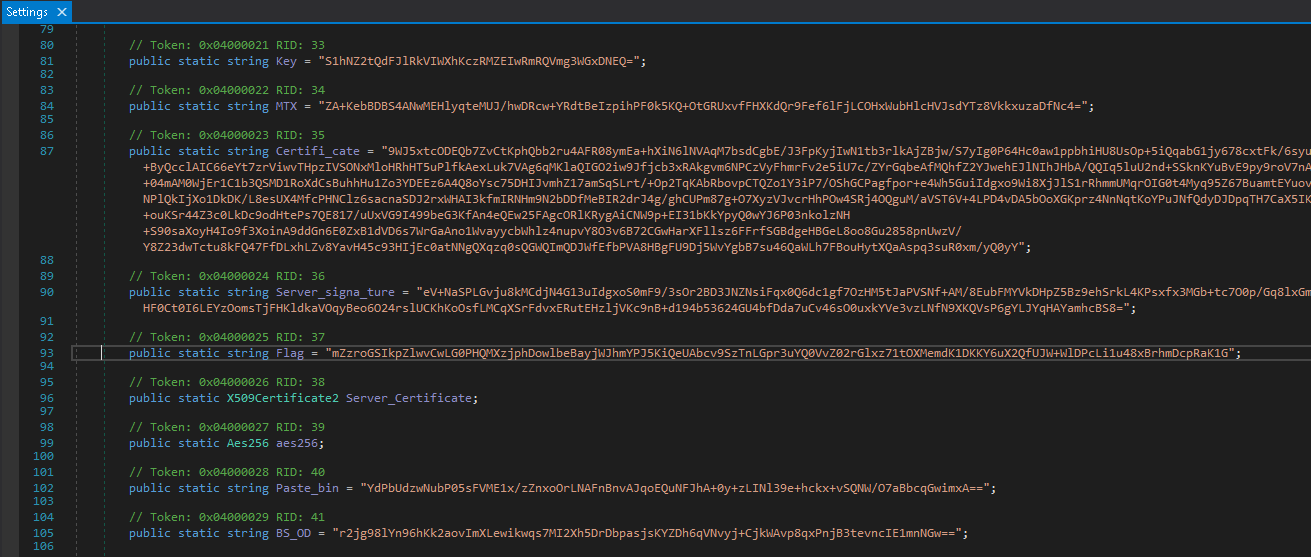
Scrolling down we notice a string Flag that isn't used by any code present in the file. Copy this string down as we'll use it.

What we can do now is place a breakpoint on the return statement in Decrypt and replace the input with the string we just copied down.
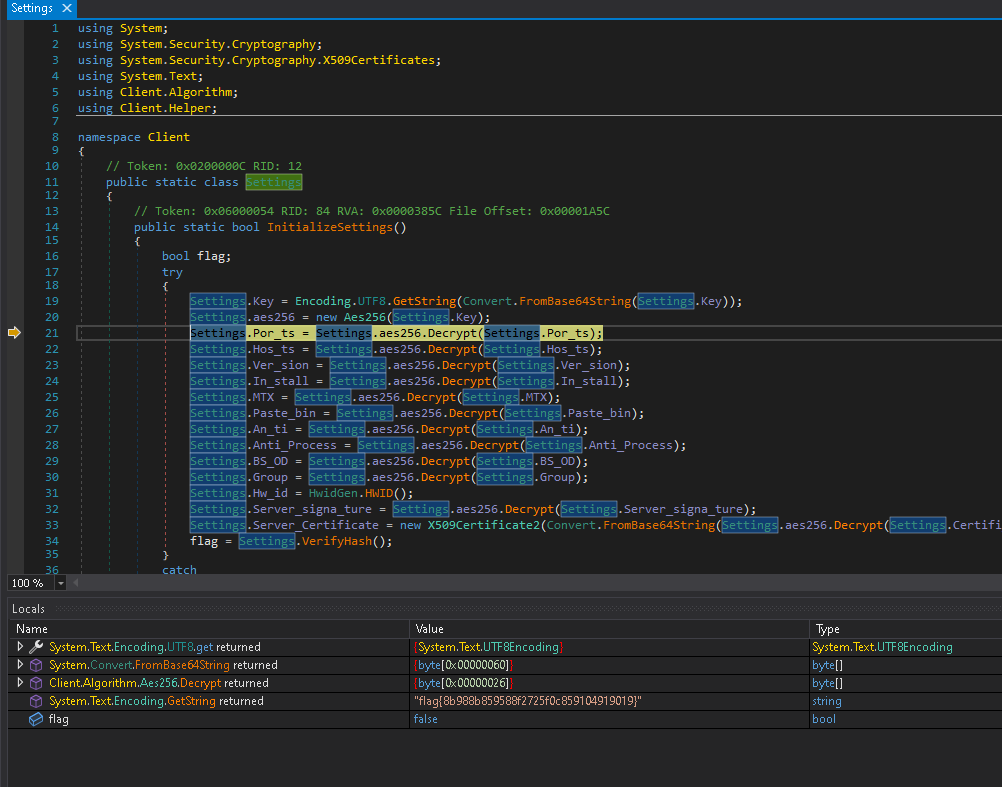
Step over the return statement to view the return value, and nice job! We took down the RAT.