Batchfuscation
Participants are provided with a file batchfuscation and upon inspection, it's a batch script.

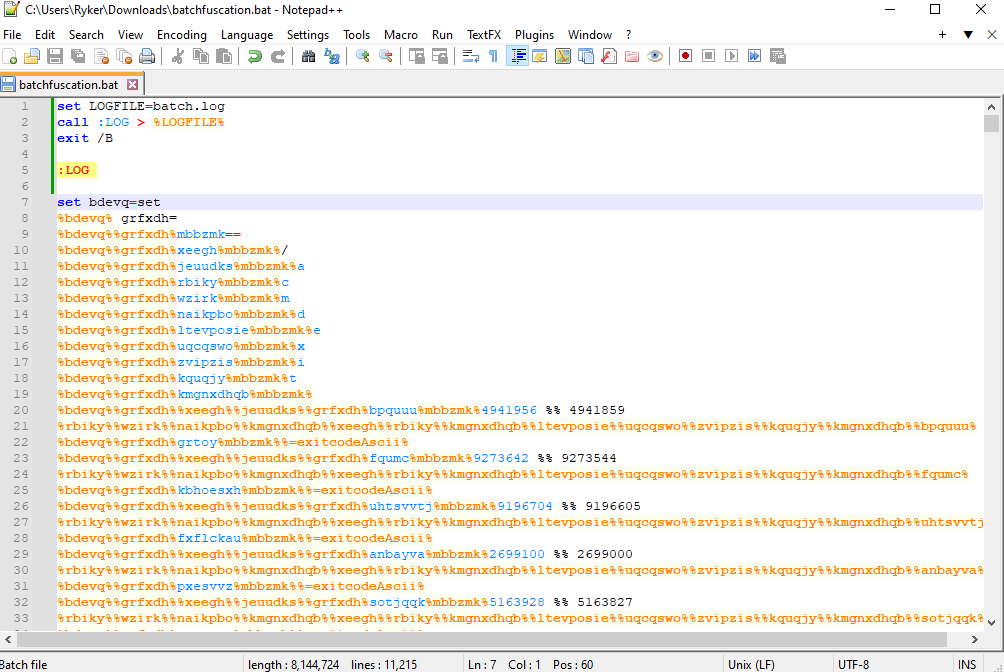
To print the output of the script into a text file, we can add this code to the top of the file and run it.

The output prints something like this, and we can notice some replacement going on with the alphabet, numbers, and some special characters.

Using the replacement provided, we can craft the word flag. We need to include %% as we'll be searching for it in the script.

Searching for this word, we find several instances. It looks like flag is apart of some sentences here, and looking closer each sentence flag is apart of, starts the same. Let's print this out during runtime and log it.

Copy the entire sentence including flag and replace with echo + (sentence + flag) as shown.

After running the script again, the log will now show the characters of the flag indexed from 1 to 37 (including flag{}). We basically have the flag, now it's just a matter of magic string formatting.

We can narrow the text down to just the flag characters by using a regex expression.

At this point, use whatever methods and tools you want to format the string further to piece together the flag. For example, I just stripped the text down to the (index)=(flag_character) and semi-ordered by the index to make it easier to piece together.