Backdoored Splunk
For this challenge, participants are provided with a zip file containing some files used for Splunk Add-on for Windows.

We want to direct our attention to the bin folder since these files were deemed suspicious. By viewing a certain powershell file within bin/powershell/nt6-health.ps1 we can see a web request being made to the provided container on the challenge site.
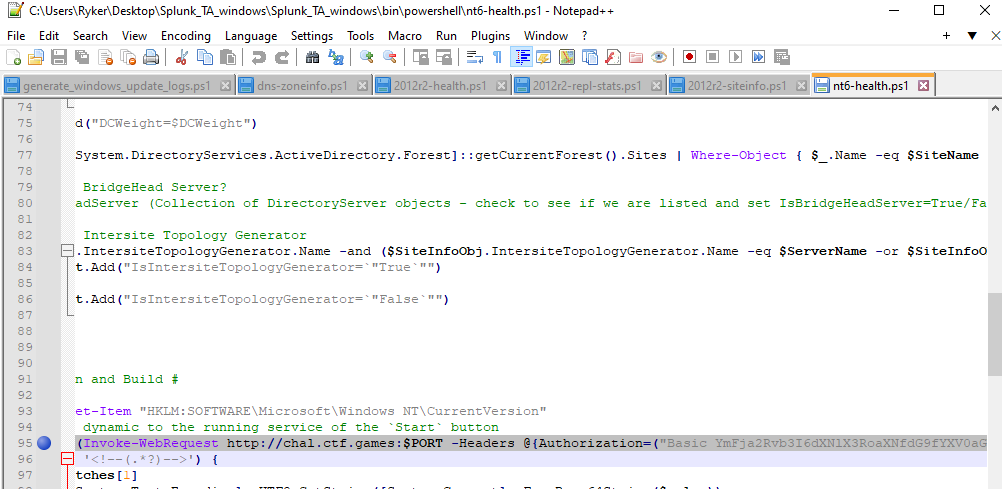
This web request includes an authorization header which is important to note... If we go to the challenge site we are met with this json message.

Now we can craft a HTTP GET request to the site adding in the authorization header with the value we found from the powershell file.

You can use any tool you want to do this. Personally, I'm using Postman because it's simple and gets the job done, but other tools like Burp Suite should work fine.

Once the request is sent, the server responds back with some Base64 encoded text inside a HTML comment.
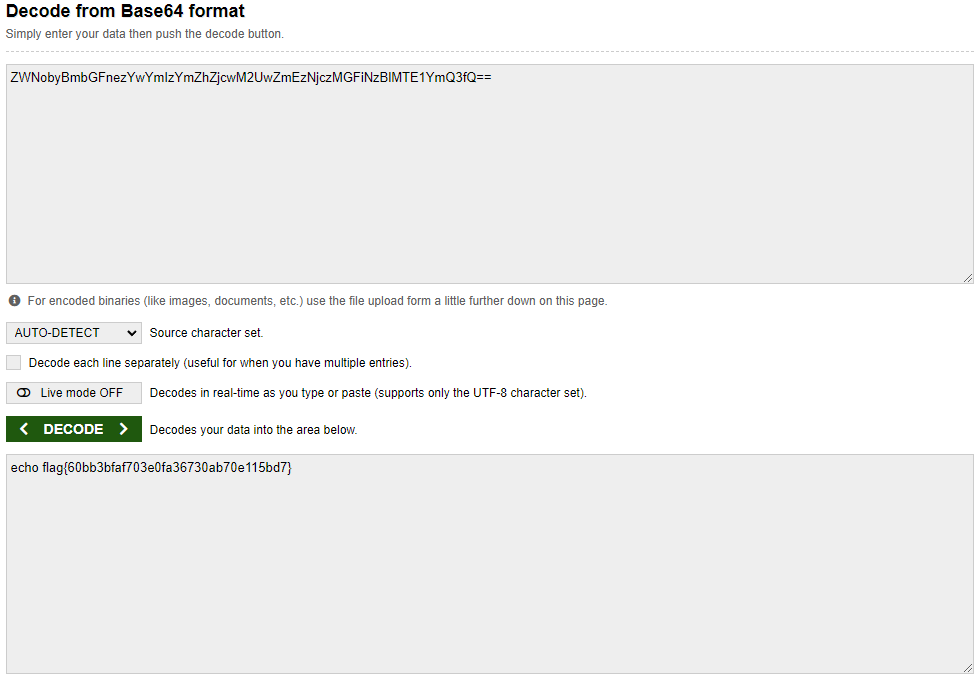
Decode the text using your favorite tool, and flag captured!